Preparing Spells and Other Quality of Life Improvements
You can now prepare spells in your spellbook, preview your custom spells and more.
Last updated on
I love Wizards and I love managing spellbooks and it's because of that this website was born. But a funny thing happened since I built 5e Spellbook Builder, I haven't actually played a Wizard since I made it.
Preparing spells
In the past year since release, I've been a Druid in Dragonlance: Shadow of the Dragon Queen, and even more removed from spellcasting, a Monk in Tomb of Annihilation. It hasn't gone all that well for me either, it took an embarassing 40 sessions before I realized I can use my dex modifier for grapples as a Monk and began finally enjoying playing the character. Woops.
I thought I had put together a great tool, but I haven't been able to use it to its fullest yet. Which is why I was shocked when my friend who just made a Wizard used the tool for the first time and immediately noticed a rather large omission:
"Why can't you prepare spells?"
Right. That.
In my defense, I didn't want to overcomplicate this web app. It's not meant to govern the rules of D&D. It doesn't enforce spell slots, or calculate spell save DCs, etc. — managing complete characters and digitizing the entire pen and paper game is what other digital platforms are for.
5e Spellbook Builder is meant to augment the pen and paper game you love with a fast and intuitive way to get at all the spells of the game quickly, and use them as cards on your device, print them or share them.
So when it came to spell preparation, I didn't give it any thought. All the spellcasting classes prepare spells, but for nearly all of them, their list of prepared spells is just a subset of all the spells of that class and what you would likely capture when you make a spellbook for them. So there was no need to capture if a spell was prepared or not.
But the Wizard, the mighty Wizard, is the exception. Ironically it's the only class that actually uses spellbooks and my spellbook builder never accounted for their specific needs. The list of spells you've acquired in your spellbook is pivotal, but the list of spells you've prepared from that spellbook also needs to be known as those are the spellcards you would thumb through during gameplay.
So now you can prepare spells.
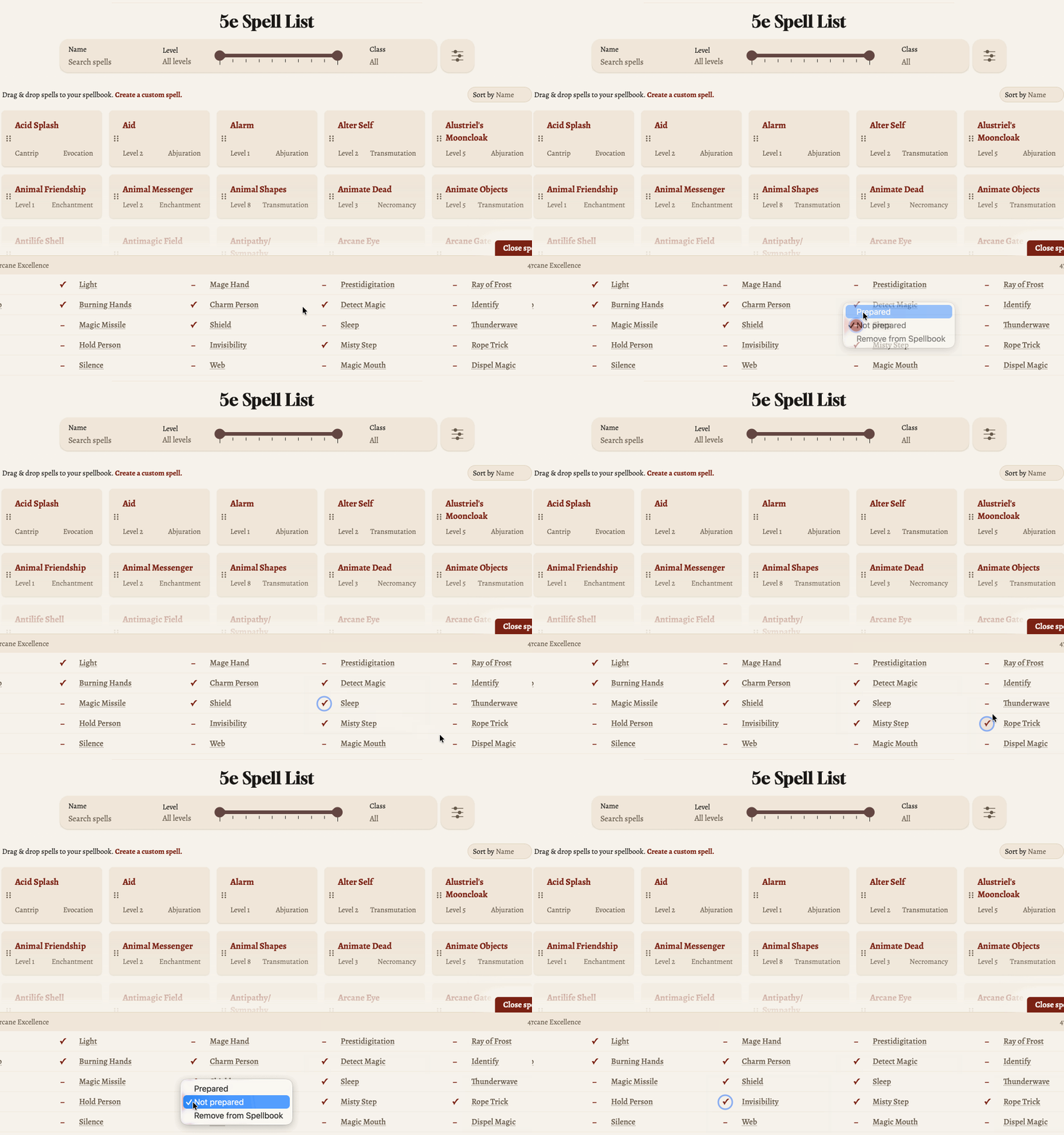
By default, when you add a spell to your spellbook, it's prepared by default, since most classes don't care to distinguish between acquired and prepared spells. But you can now choose what spells to remove, or later add back, to your prepared list. Only prepared spells will show when you use your spellbook.
I also spent some time improving the rest of the app.
Creating custom spells and spell cards
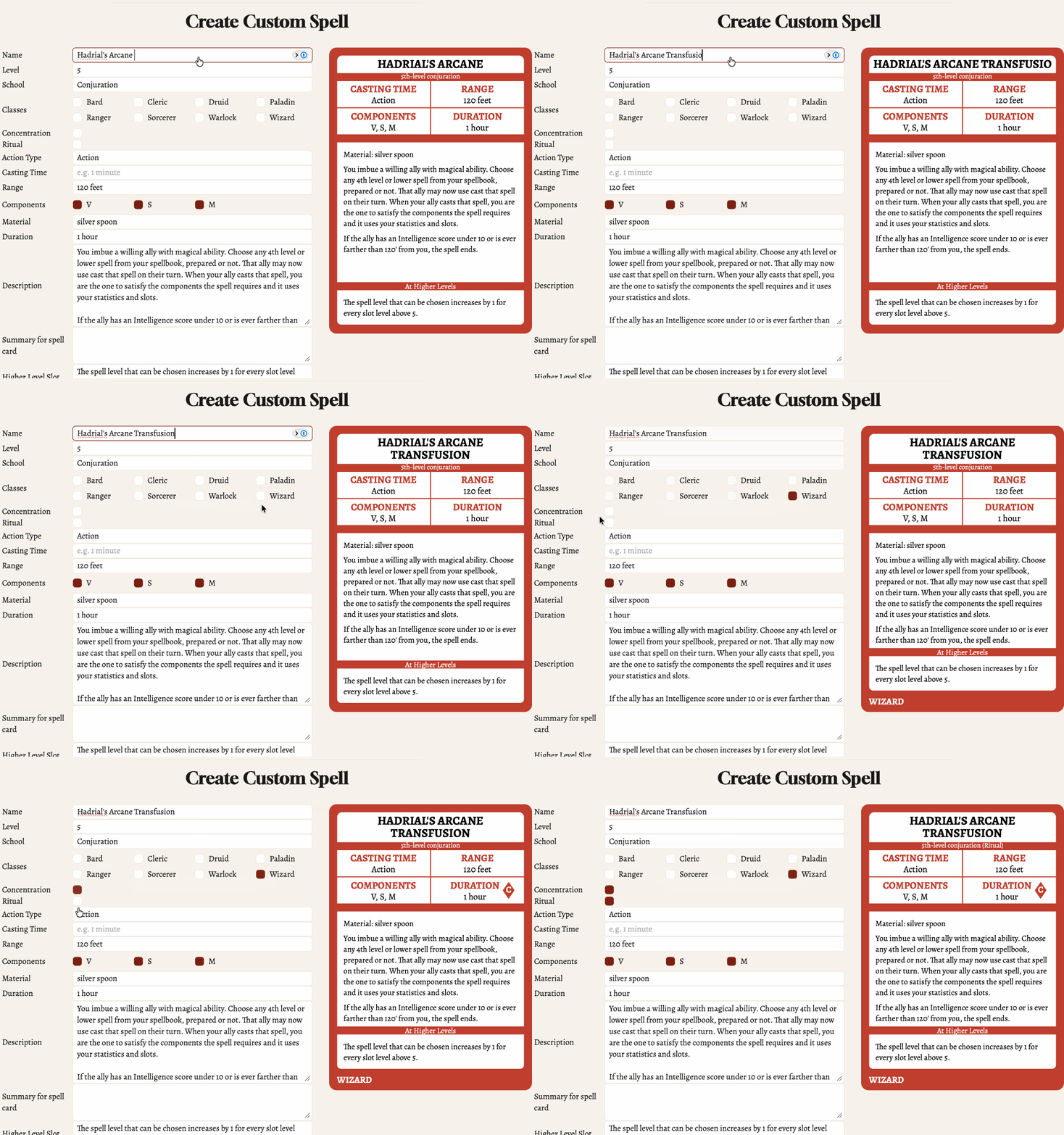
Creating custom spells is no longer stuck in a tiny modal that's easy to accidentally close but is now in a full page, complete with a real time preview of how the spell card will look.
Deck cycling
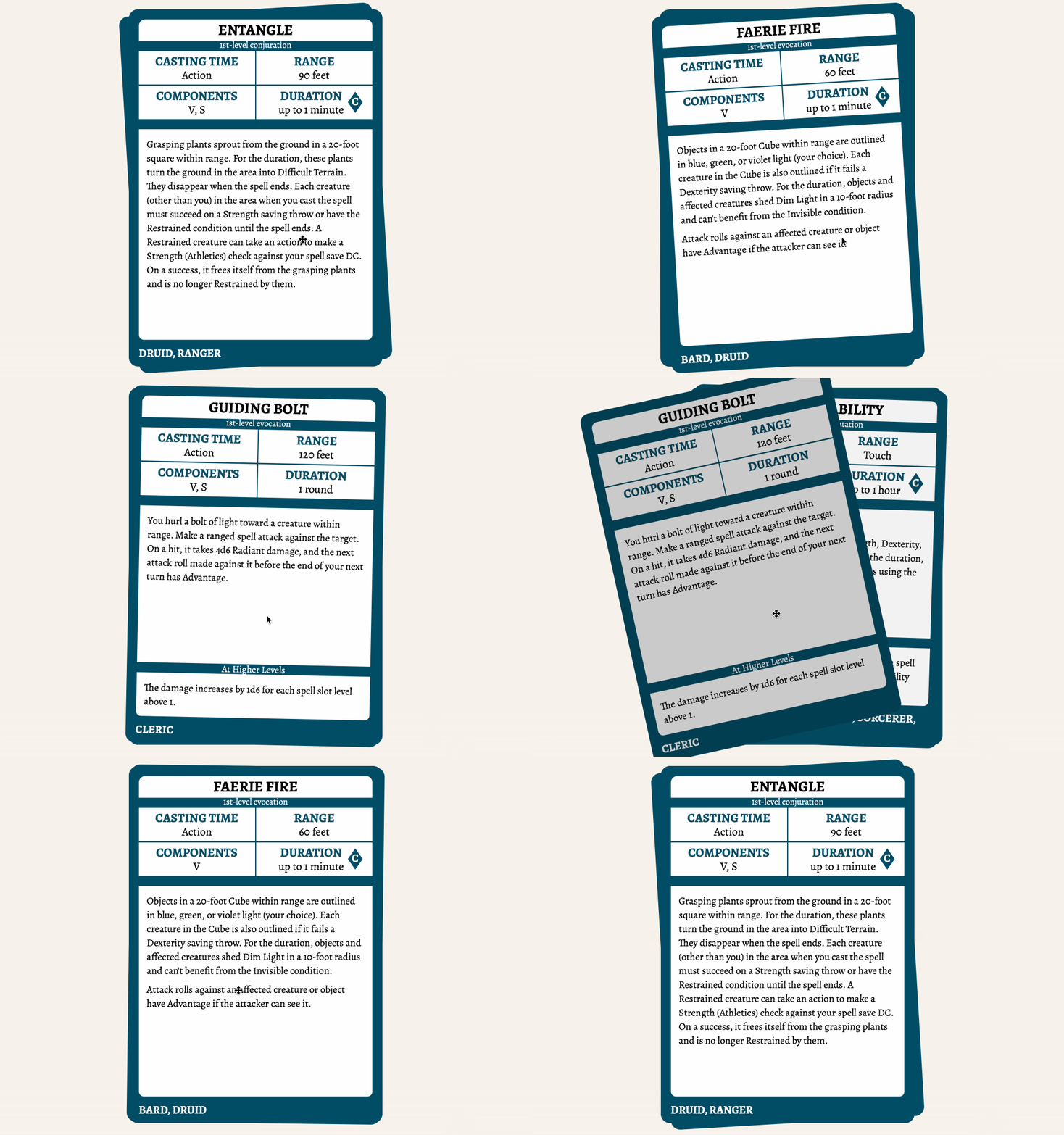
And cycling cards as a deck is now much more useful. It used to be one way, you flick cards off your deck and have to loop all the way through the entire deck to consider them again, now you can go through your deck forwards and backwards.
All 2014 and 2024 spells
The Artificer class made its way to D&D with the release of Eberron: Forge of the Artificer, so I've added that. And players were getting too frustrated with missing their favourite 2014 only spells that haven't been released yet in 2024, so I brought those over too, bringing the spell count up to 554.
Have fun
This thing is truly going to rip when I'm back to being a Wizard again. In the meantime, happy spellcasting.